Loading workspace...
Bullet Time Effect

Create a Cinematic Bullet Time Effect from One Image

Turn One Decisive Moment Into a Moving Camera Orbit

AI Bullet Time Effect turns a still image into a cinematic moving viewpoint around a suspended moment. Our AI Bullet Time Generator emphasizes recognizable subjects, coherent scene depth, and controlled camera movement without requiring a physical multi-camera production setup.

Create a Cinematic Bullet Time Effect from One Image
AI Bullet Time Effect|Bullet Time Effect Video Generator|AI Bullet Time Generator

How to Create a Bullet Time Effect

Upload a clear source, let the AI Bullet Time Effect construct the camera orbit, and review subject consistency. This focused workflow helps each Bullet Time Effect preserve the image's strongest moment while revealing believable scene depth.

1

1. Upload a Clear Image

Choose a sharp image with one readable subject, a defined pose, and enough surrounding space to suggest depth. Portraits, action frames, product shots, and character artwork can all work. The AI Bullet Time Generator uses visible edges, lighting, foreground layers, and background separation to prepare the Bullet Time Effect. A clear source gives the Bullet Time Effect stronger information before any camera movement begins.

2

2. Generate the Camera Orbit

Start generation and let the model interpret the subject, foreground, and background as one dimensional scene. The AI Bullet Time Effect holds the decisive action nearly still while building a smooth change in viewpoint. A convincing Bullet Time Effect should reveal believable parallax instead of sliding a flat picture across the frame. Consistent scale and lighting help the Bullet Time Effect remain clear throughout the orbit.

3

3. Review the Complete Video

Watch the complete clip and check that the subject remains recognizable from the opening frame to the final angle. Review facial features, anatomy, clothing, product geometry, background depth, and camera stability. A successful Bullet Time Effect keeps attention on the frozen moment while the viewpoint moves naturally. Compare both ends of the orbit to confirm that the Bullet Time Effect creates genuine perspective change.

What Makes a Bullet Time Effect Feel Cinematic

A compelling AI Bullet Time Effect balances subject consistency, readable depth, controlled camera travel, and a frozen moment that stays clear as perspective changes. Each Bullet Time Effect should complete one coherent visual idea.

Keep the Main Subject Recognizable

Keep the Main Subject Recognizable

A strong Bullet Time Effect needs a stable visual anchor. The model uses the uploaded image to retain the subject's face, pose, clothing, silhouette, or product details as perspective changes. This identity-aware direction helps an AI Bullet Time Effect remain connected to the original source instead of inventing an unrelated person or object. Review every angle so the Bullet Time Effect stays recognizable across the full camera path.

Build a Smooth Bullet Time Effect Camera Orbit

Build a Smooth Bullet Time Effect Camera Orbit

The signature Bullet Time Effect depends on viewpoint change rather than a simple zoom. The AI Bullet Time Generator interprets foreground and background relationships, then creates a controlled camera path around the subject. Consistent parallax, scale, and framing make the motion easier to believe. The Bullet Time Effect should begin from a stable view, complete a readable arc, and settle on a useful final composition without sudden camera jumps.

Shape a Convincing Frozen-Moment Bullet Time Effect

Shape a Convincing Frozen-Moment Bullet Time Effect

Bullet time separates the subject's apparent speed from the camera's motion. A useful Bullet Time Effect keeps the central action suspended or dramatically slowed while the viewpoint continues traveling. Subtle cues such as hanging fabric, droplets, dust, or displaced hair can strengthen the frozen-time impression when they match the source. The AI Bullet Time Effect should use restrained secondary motion so the Bullet Time Effect remains deliberate rather than merely paused.

Adapt the Bullet Time Effect to Different Images

Adapt the Bullet Time Effect to Different Images

Portraits, sports frames, dance poses, products, and imaginative artwork each suggest a different Bullet Time Effect. The source image determines the focal point, orbit, pace, and useful depth cues. An AI Bullet Time Generator should support what already makes the composition interesting instead of forcing every scene into one visual formula. A clear Bullet Time Effect adapts camera energy to the subject while preserving the source image's essential visual logic.

Ways to Use Bullet Time Effect AI

From portraits and action frames to products and illustrated worlds, the AI Bullet Time Effect adds dimensional motion where a source image already contains a clear subject. Each Bullet Time Effect should serve that focal point.

For Portraits and Fashion

Use a centered portrait, fashion pose, or expressive character image to create a Bullet Time Effect that reveals the scene from a moving viewpoint. The orbit can emphasize posture, styling, and silhouette while the suspended moment holds attention on the person. An AI Bullet Time Effect benefits from clear facial detail and visible background separation. These cues help the Bullet Time Effect feel intimate and dimensional rather than mechanically showy.

For Sports and Action

A jump, kick, throw, turn, or landing already contains visual tension. The AI Bullet Time Generator can translate that still action into an orbiting clip that lets viewers study the decisive instant. A readable pose and uncluttered surroundings give the Bullet Time Effect room to show body position, direction, and environmental depth. The Bullet Time Effect stays strongest when the main action remains clear throughout the complete camera arc.

For Products and Objects

A product image can become a focused visual reveal when the Bullet Time Effect moves around its shape, surface, or suspended action. Consider a shoe above a pedestal, a bottle surrounded by droplets, or a device held in use. An AI Bullet Time Effect should preserve geometry, material, color, and reflections. A restrained Bullet Time Effect can reveal design cues without inventing distracting changes to the product.

For Art and Story Moments

Illustrations and concept frames can use the Bullet Time Effect to turn one composed story beat into a moving scene study. The shifting viewpoint may highlight a character's stance, an important prop, or the scale of an environment. Choose artwork with separated visual layers and a clear focal point. The Bullet Time Effect should deepen the composition, preserve the intended style, and add camera energy without rewriting the scene's story.

Creator Perspectives on AI Bullet Time Effect

These illustrative workflow perspectives show how creators might evaluate the Bullet Time Effect. Replace every sample with verified, attributable customer feedback before publishing the page as evidence of real user experience.

Dance Imaging

I used a dance portrait with the costume caught in mid-turn. The AI Bullet Time Effect kept the shape of the pose readable while the moving viewpoint gave the fabric much more presence. I also appreciated that the Bullet Time Effect AI stayed connected to the image I had carefully composed. Leaving clear space around the dancer gave the generated orbit room to reveal depth without losing the gesture. That made the motion feel intentional.
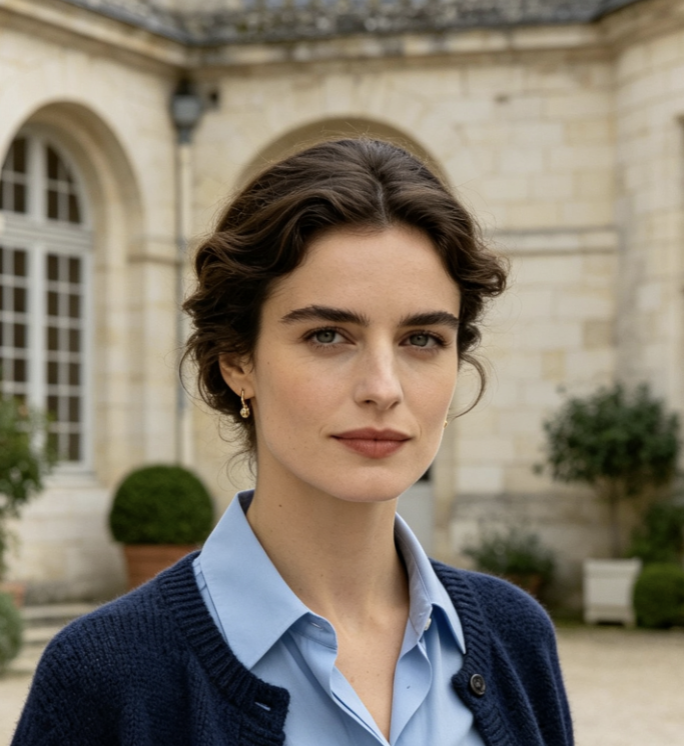
Maya Torres
Maya Torres
Dance Photographer
Action Concepts

For a sports concept, I uploaded a clean frame of a player at the top of a jump. The AI Bullet Time Effect turned that decisive pose into a useful visual beat. The Bullet Time Effect AI helped me explore how an orbiting camera could support the idea before planning a more involved edit. Reviewing the first and last angles made it easy to judge whether the perspective change felt convincing. The full sequence stayed easy to assess.

Jordan Blake
Jordan Blake
Creative Producer
Product Visualization

The AI Bullet Time Generator gave my product still a sense of depth without covering it in interface graphics or decorative clutter. The Bullet Time Effect drew attention to the silhouette, reflections, and surface details. I checked the complete orbit for geometry changes, then used the final clip as a focused opener in a presentation concept. The result worked because it stayed restrained and visually connected to the original product image. Nothing important changed between angles.

Priya Nair
Priya Nair
Product Designer
Visual Development

I started with a character illustration that already had a strong foreground and background. The Bullet Time Effect used that separation well and made the shot feel more dimensional. It became a practical way to test camera energy around one story beat before developing the wider sequence. The Bullet Time Effect preserved the focal character, while the changing viewpoint revealed how the environment could support the moment. That continuity made the test useful.

Elliot Reed
Elliot Reed
Concept Artist

FAQs About AI Bullet Time Effect

Learn how the Bullet Time Effect works, which images provide useful depth, how the camera orbit differs from slow motion, and what to review when the AI Bullet Time Effect generates new viewpoints.

AI Bullet Time Effect creates the impression that action has stopped or slowed dramatically while the viewpoint continues moving around the subject. Traditional productions use carefully coordinated cameras and post-production to build this look. AI instead interprets a source image, estimates scene depth, and generates connected viewpoints around the frozen moment. The quality depends on subject clarity, stable visual details, believable parallax, and coherent camera movement.

Turn a Still Moment Into a Cinematic Bullet Time Effect

Create Your Bullet Time Effect

Choose an image with a clear focal subject and transform its decisive moment into a moving perspective. Let the model build the orbit, then review the result for stable identity, believable depth, and controlled camera energy.

One-image camera-orbit workflow
Controlled frozen-moment camera orbit
Flexible direction for people, products, and artwork