

Loading workspace...

Seedance 2.5 Flash Free: AI Video Generator

Turn one clear idea into a short video with sound.

Use the Seedance 2.5 Flash video generator to build a scene from a prompt, put a photo in motion, or direct a shot with references. Looking for Seedance 2.5 Flash free access? Check the credits available to your account, then start with a short clip you can review in one pass.

Prompt, image, or reference input
480p and 720p model output
Up to 30 seconds per generation
Hero image
Seedance 2.5 Flash

What You Can Make With The Seedance 2.5 Flash video generator

Choose your input by deciding what you already know about the shot. A prompt sets the action, a still sets the opening frame, and references clarify details that would take longer to describe. Start a Seedance 2.5 Flash free test, if credits are available, with the input that answers your biggest visual question. The images illustrate these prompt ideas.

Build A Scene From Text

Build A Scene From Text

If you are exploring Seedance 2.5 Flash free access without an image ready, describe a subject, an action, and a camera move. Ask the Seedance 2.5 Flash video generator for a fixed wide shot of a paper boat passing under a wooden bridge, for example. A simple scene makes it easy to judge movement and composition.

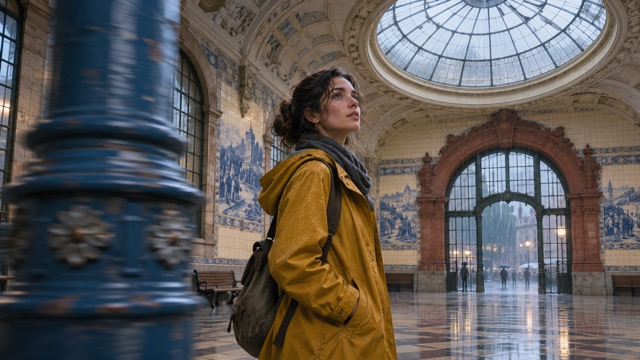
Animate A Photo

Animate A Photo

Start a Seedance 2.5 Flash free test with a still that already has the framing you want. Tell the Seedance 2.5 Flash video generator what moves and what stays in place. For a street photo, ask for wind in the banners and one passing cyclist while the camera holds steady and the buildings stay fixed.

Give Each Reference A Job

Give Each Reference A Job

For a Seedance 2.5 Flash free reference test, bring the clearest asset for each decision. Use one image for the subject, a short clip for the camera move, and audio for timing when needed. Tell the Seedance 2.5 Flash video generator to follow the clip's dolly move while keeping the location from the image.

Make Sound Part Of The Action

Make Sound Part Of The Action

Spend a Seedance 2.5 Flash free test on a single audible event, such as a suitcase latch snapping shut. Tell the Seedance 2.5 Flash video generator exactly when it should happen. On playback, check that the sound lands with the movement and that the background stays quiet enough to make the cue clear.

How To Start A Seedance 2.5 Flash Free Test

For a first pass with the Seedance 2.5 Flash video generator, aim for one clip that answers one question. Before you generate, check the form for the available settings and your credit cost.

1

1. Pick The Right Starting Input

For your Seedance 2.5 Flash free test, open the Seedance 2.5 Flash video generator and choose the input that matches your brief. Use text when the scene is still an idea, an image when the first frame matters, or references when you already have a specific look or movement in mind.

2

2. Describe What Changes

Write your Seedance 2.5 Flash free prompt in playback order. The Seedance 2.5 Flash video generator needs a clear opening, an action, and a final state: the cup sits untouched, a hand lifts it, and the camera holds on the ring of condensation. Name the detail the viewer should notice last.

3

3. Choose A Short Duration

For a Seedance 2.5 Flash free test, give the Seedance 2.5 Flash video generator just enough time for the main action to read. A brief product turn needs less time than a reveal with a pause. Choose from the form's displayed duration and resolution settings and check the estimate before submitting.

4

4. Watch, Then Change One Thing

Play the Seedance 2.5 Flash free result once with sound and once muted. If the subject drifts, simplify the camera move in the Seedance 2.5 Flash video generator. If the clip looks good but the beat lands late, adjust the timing cue and keep the rest of the prompt so you can compare the two takes.

Four Projects To Try With Seedance 2.5 Flash Free Access

Bring the Seedance 2.5 Flash video generator a specific shot to solve: show what a product does, establish a mood, or see if a scene makes sense in motion.

Social Video Hooks

If you are trying Seedance 2.5 Flash free, compare two openings for the same short video. Ask the Seedance 2.5 Flash video generator for a quiet reveal in one version and an immediate close-up in the other. Keep the payoff the same so you can decide which first frame makes the action easiest to understand.

Product Demos And Reveals

Try a Seedance 2.5 Flash free product shot with one useful detail, such as the clasp on a bag or the fold of a stand. Give the Seedance 2.5 Flash video generator a clean reference and ask for a slow move that keeps the mechanism in frame. Check shapes and labels against your original before sharing.

Storyboards With Real Timing

Use a Seedance 2.5 Flash free test to see if a storyboard holds together in motion. Give the Seedance 2.5 Flash video generator three beats: a courier arrives, spots a light upstairs, and stops at the wrong door. Review the pause before the final action; it may tell you where a later edit needs room.

Atmospheric Inserts And B-Roll

If you have Seedance 2.5 Flash free access, start an insert with a clear texture and a sound that belongs to it. Ask the Seedance 2.5 Flash video generator for rain sliding down a bus window with streetlights passing in reflection. Leave a beat of steady motion at the end so you have room to cut into the next shot.

Get More From Each Seedance 2.5 Flash Free Test

Use the Seedance 2.5 Flash video generator to test the decisions that are expensive to change later: framing, movement, timing, and how the clip will cut against other material.

Test Motion Before Fine Detail

A Seedance 2.5 Flash free test can help you decide if a camera path makes sense before you spend time on textures. Ask the Seedance 2.5 Flash video generator for a simple setup with one subject and one direction. Compare the first and last frames to see if the main subject stays readable throughout the move.

Keep Your Comparison Fair

When running a Seedance 2.5 Flash free test with available credits, keep the duration, opening frame, and subject fixed across takes. Change only the lighting or camera in the Seedance 2.5 Flash video generator. Two controlled tries tell you more about the decision than a set of clips where everything changes at once.

Pick Resolution For The Next Step

Use 480p for a Seedance 2.5 Flash free motion study if that option suits your task. When the shot works, try 720p in the Seedance 2.5 Flash video generator for a closer look at edges and prop detail. Decide early if your delivery needs a higher native resolution so you can plan the final render elsewhere.

Check Credits Before A Batch

Before planning a set around Seedance 2.5 Flash free access, check your available credits and the estimate in the Seedance 2.5 Flash video generator. Review one shot first and settle on a prompt structure that works. Then reuse that structure across the set, swapping the subject and action as each shot requires.

Seedance 2.5 Flash Free And Generator FAQs

Use these answers to plan your first Seedance 2.5 Flash free test, understand the Seedance 2.5 Flash video generator, and choose the right settings for your clip.

Open the Seedance 2.5 Flash video generator and check the credits available to your account. If an eligible free balance covers the job, you can use it for that generation. Check the estimate before submitting, especially if you change duration, resolution, or reference inputs.

Start With One Shot

Plan Your Next Shot With Seedance 2.5 Flash

Have a photo to animate or an opening shot in mind? Check Seedance 2.5 Flash free access, give the Seedance 2.5 Flash video generator one clear action, and see how the scene plays before expanding it into a full sequence.

Text, image, and reference inputs
480p and 720p
Motion and audio in one scene